
The Repair Shop Where No Device Gets Lost: FaraERP Service Management for Device and Parts Repair
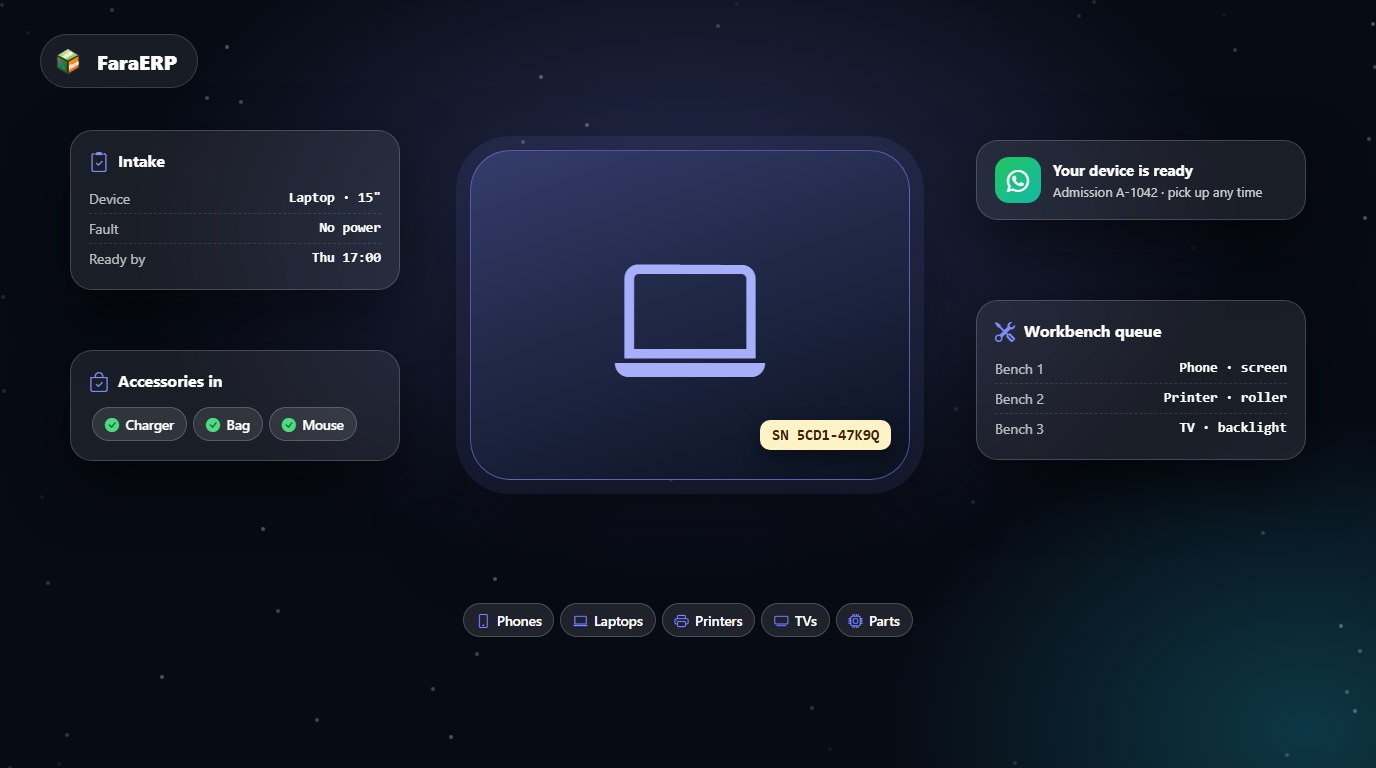
It’s five in the afternoon. Three identical black laptops sit on the repair shelf, an orphaned charger lies next to them, and the phone rings for the tenth time: “Is my device ready?”. One lost label is all it takes for the wrong device to reach the wrong customer — and for years of reputation to go with it.
FaraERP’s service management has a dedicated device-repair profile: from laptops and phones to printers and TVs, every device has its own identity, and its path from intake to hand-back is recorded.
At a glance
- Every device booked in by type, model and serial number, under its owner.
- The fault in the customer’s words, the list of accessories handed in, and an estimated ready-by time.
- A “your device is ready” message by WhatsApp or SMS — automatic or one click.
- Workbench queues, a cash desk, printed receipts and receipt-to-bank matching.
Every device, an identity
Customers are found by phone number; no national ID is needed. Their devices — with type, model and serial number — are registered under their name, so if one customer brings two phones and a printer, each has its own intake and history. The next time the same device comes back, you know what was done to it before.
An intake that won’t start arguments later
- The fault in the customer’s words: exactly what the customer said at the counter is recorded on the intake.
- Accessories handed in: charger, bag, cable or memory card — what you received is in black and white.
- Estimated ready-by time: from the moment of intake, the customer knows when to come back.
- A receipt with an admission code: the customer returns with the printed receipt and code, so the wrong device is never handed over.
“Your device is ready” — without a single call
When the job is done, the system messages the customer that their device is ready — by WhatsApp first and, if that doesn’t arrive, by SMS. Each branch can make this automatic, or reception can send it with one click. The “is it ready?” calls stop.
The technician repairs, the system does the sums
If the technician finds at the bench that another part needs replacing, they record the extra service and it appears on the reception screen at once with a payment button. Parts and consumables have default quantities per service, and any extra is added to the bill automatically; no part slips through the cracks.
The shared backbone: from booking to the books
Underneath these specialist features runs the same engine that makes FaraERP’s service management dependable for any service business:
- Booking on your own rules: a separate policy per branch, service and technician — slot length, capacity, daily caps and an SMS booking confirmation.
- Queue and waiting-room display: one “call” sends the customer to the workbench, and the waiting-room TV calls them out.
- Extra work without paperwork: a service the technician adds appears instantly on the reception screen with a payment button.
- Consumables that add up: each service has default consumables and an “included” quantity; anything beyond it is added to the bill automatically at the excess rate.
- Cash desk and receipts: cash, card terminal and bank transfer, with refunds and voids; printed receipts at 80 or 58 mm or A5, with your name and logo.
- Receipts matched to the bank: card-transfer receipts are matched against the bank statement; receipts with no deposit and deposits with no receipt are flagged separately.
- Customers who come back: admissions can enrol the customer in the CRM automatically, so targeted campaigns — say, everyone who hasn’t been in for a while — can invite them back.
- A manager’s dashboard: unique, new and returning customers, average revenue per customer, and each technician’s output.
- The rest of FaraERP on the same database: accounting, inventory, purchasing, HR and payroll — with no re-entry.
Your repair shop exists to serve, not to keep books. Let FaraERP’s service management run the rest — to see it with your own business’s scenario, the demo button is right below.