
Server room temperature logging software: with your own data logger or FEDLOG, from live board to reports and alerts
It is Saturday morning and the main server will not boot. The server room AC died on Friday night, but nobody knows when. How hot did it get? For how long? The CEO asks, and the only answer is “we don’t know”.
Server room temperature logging software exists for that moment: it takes each point’s temperature from a network data logger, stores it with date and time, flags any point outside its limits and exposes a device that has gone silent. The FaraERP monitoring module does exactly that, and it does not tie you to one hardware brand.
Why server room temperature must be logged, not just seen
A wall display only says “right now”. For troubleshooting, reporting to management and arguing with the facilities contractor you need history. ASHRAE recommends 18 to 27 °C at the equipment air inlet, so the number that matters is the temperature in front of the rack, over time.
What temperature logging software must do
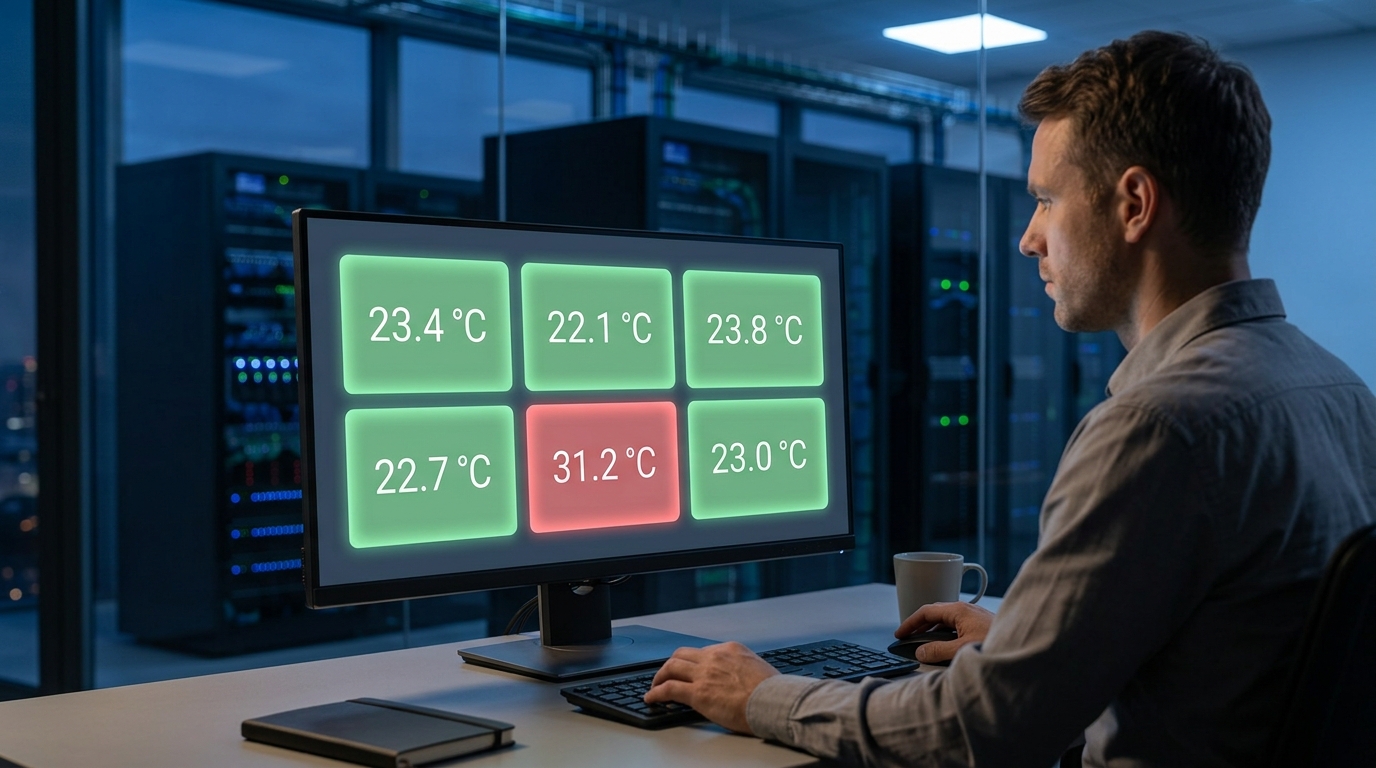
- The current state: a live board with a card per point, refreshed every 45 seconds, worst point first.
- Honest numbers: every value is labelled “live”, “last record” or “no answer”; an old value never passes for a live one.
- Limits per point: minimum and maximum temperature and humidity per device and a red “out of range” flag.
- Silent devices: a device that has not reported for over two hours is marked “not reporting”; a dead logger is more dangerous than a broken one.
- History and reports: a per-device report for any date and time range, with Excel export.
- Charts: temperature and dew point, and humidity, with the device’s own limit lines.
- Condensation SMS: switch on the dew point alert and a warning and pre-warning SMS goes out before cold surfaces sweat.
- Management view: an “environmental monitoring” section on the executive dashboard shows out-of-range and silent points.
Already have hardware? Take the software on its own
Many organisations already own data loggers, or want to buy hardware elsewhere, and only need good software for logging and reporting. The FaraERP monitoring module is built for that:
- The one requirement: the data logger must be able to send its readings over the network to the FaraERP API.
- Defined in the panel: each device gets its unique ID and its own temperature and humidity limits.
- Same board, same reports: its readings reach the same live board, reports, charts and dashboard, whoever made the device.
- Ask before you buy: if your device only talks to its maker’s own software and cannot send over the network, check with us before buying so we can look at how to connect it.
No hardware yet? FEDLOG, ready from day one
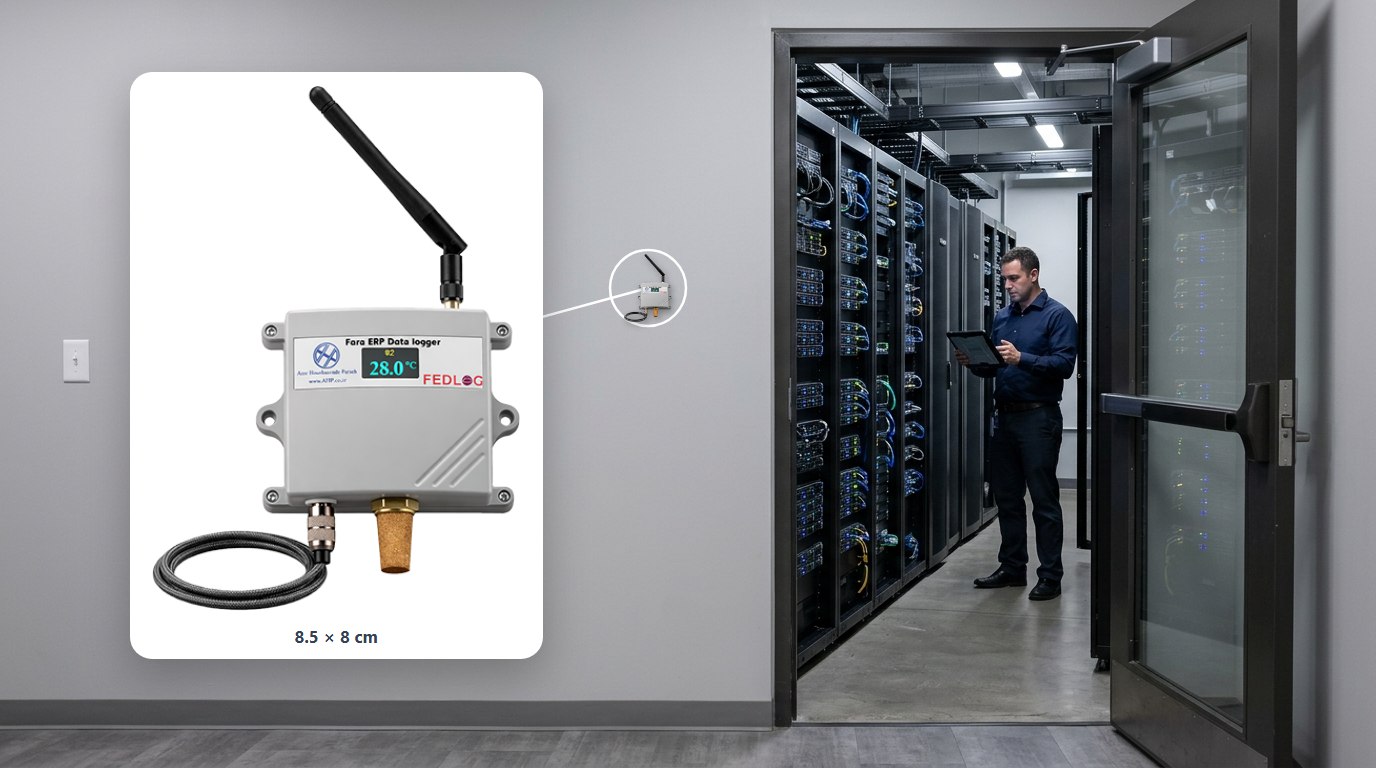
The FEDLOG data logger is built specifically for this module: a light-switch-sized Wi-Fi device with a logging interval from 1 to 1,440 minutes that connects without any programming, with live reading, connection testing from the panel and remote firmware updates. FEDLOG’s installation guide (in Persian) is here.
One panel for every server room
Companies with several branches or plants usually have several small server rooms nobody visits daily. In FaraERP every point appears on one web panel that also opens on a phone, and each user sees their own organisation and its sub-units. Because monitoring is part of the same system that runs accounting, inventory and HR, the server room sits next to the cold store and the warehouse, not in a separate tool nobody remembers to open.
Six questions for any temperature logging software demo
- How do I tell a “live” value from the “last record”?
- If a logger goes dark, where do I see it, and after how long?
- Give me one week of history in Excel.
- Does it work with the logger I already have? What is the condition?
- Show me several rooms in several cities on one panel.
- Which alerts go out by SMS and which stay on screen?
To be straight with you: a “live” value appears when the server can reach the device on the network; otherwise the board shows the last record and says so. A plain out-of-range temperature sends no SMS or e-mail; SMS is for dew point risk. There is no separate monitoring app; the web panel opens on a phone. There is no PDF export and no calibration certificate.
To see the monitoring module with your own server room, book a demo.